Case Study: Automating SQL Server Patching at Scale
200 SQL Server instances across 40 EC2 nodes. Never patched before.
Patch timings on this page were measured in sandbox test runs. Fleet size, labor rate and savings are modeled from those timings using the assumptions shown below.
The challenge
A SQL Server fleet running on AWS EC2 had accumulated years of patch debt. With quarterly cumulative update (CU) releases, patching 200 instances by hand takes roughly 3.5 hours per instance for planning, testing, deployment, validation and troubleshooting. At a $100/hour DBA rate that is:
- 700 hours per quarterly cycle (200 instances × 3.5 hours)
- $70,000 per quarter in labor
- $280,000 per year across four cycles
The team also faced:
- Risk of human error during patch windows
- No audit trail for compliance reviews
- Inconsistent patching schedules across the fleet
- DBA burnout during quarterly patch cycles
The solution
PatchPilot automates the patch lifecycle: discovery, planning, execution, validation and reporting. A human approves the plan before any patch runs.
See it in action
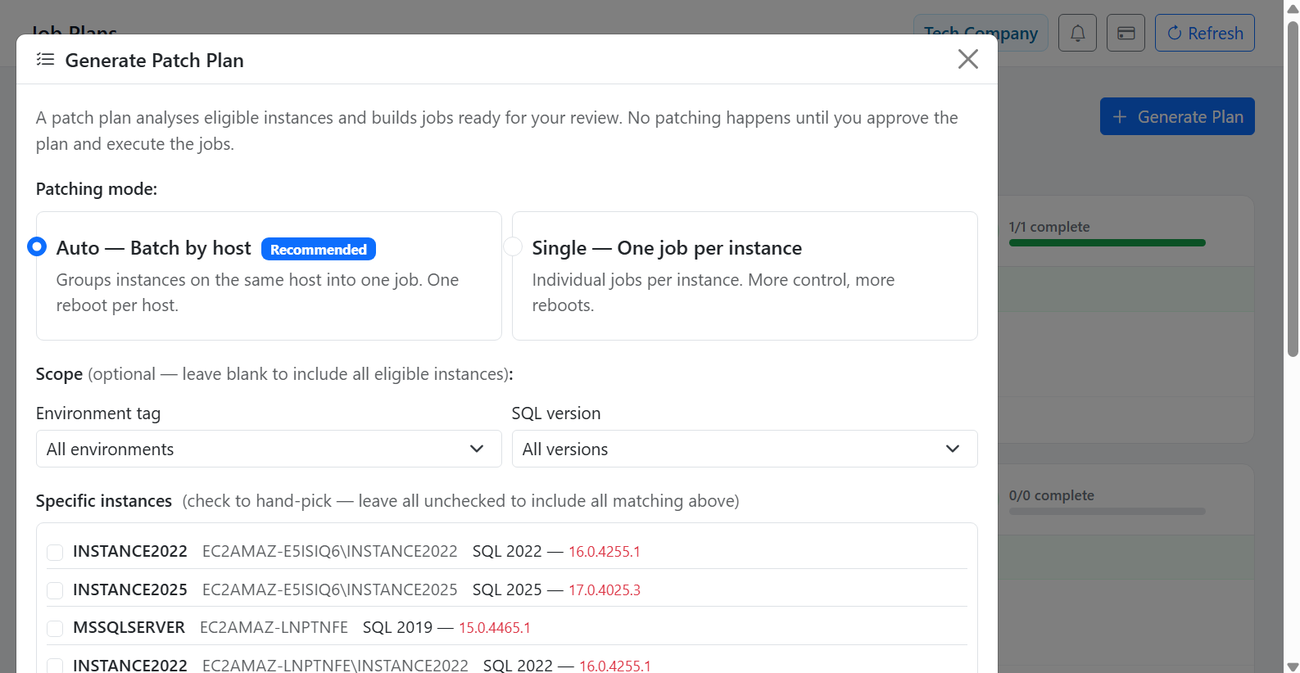
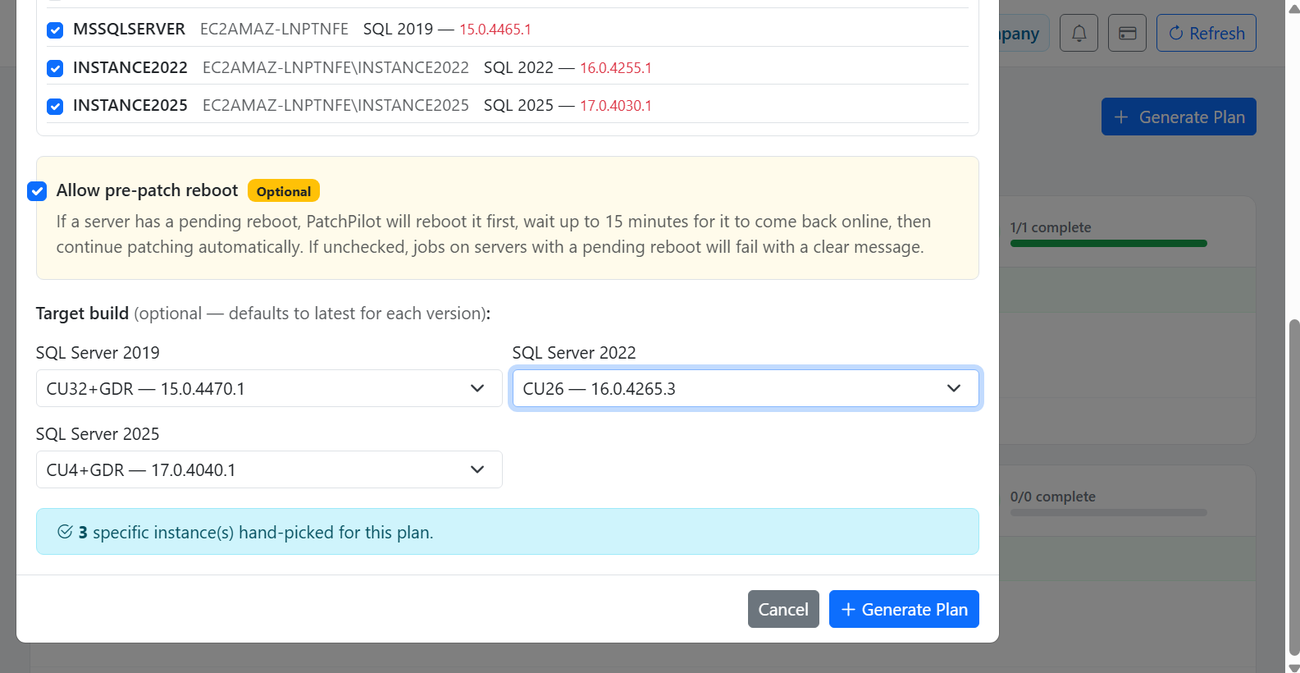
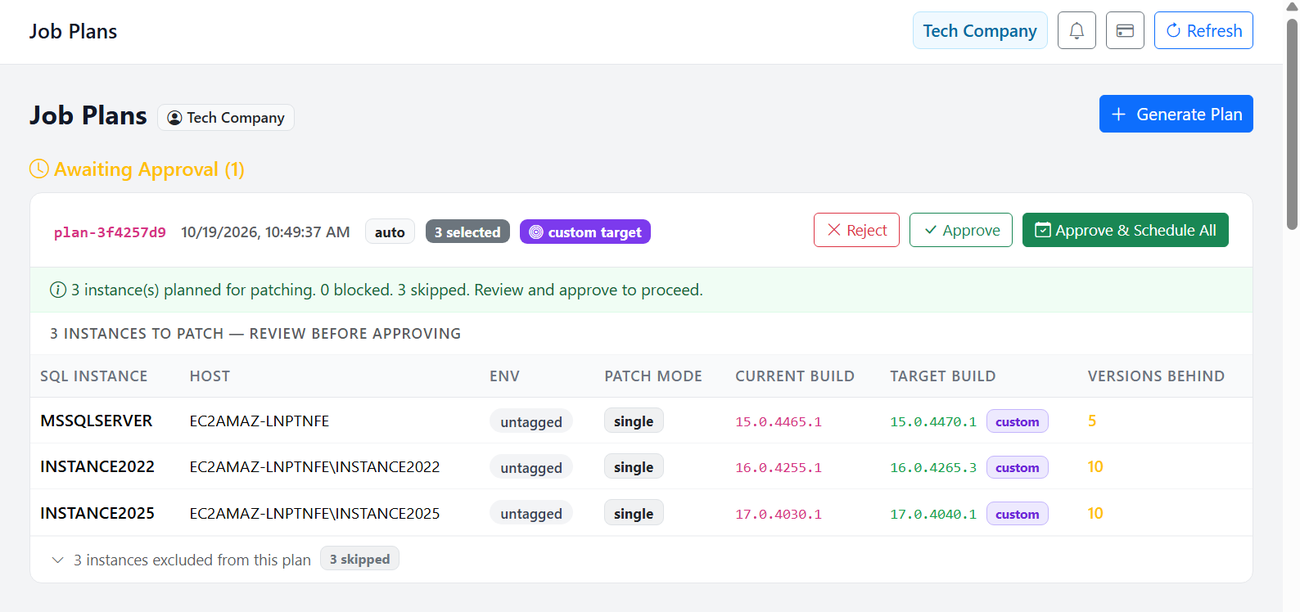
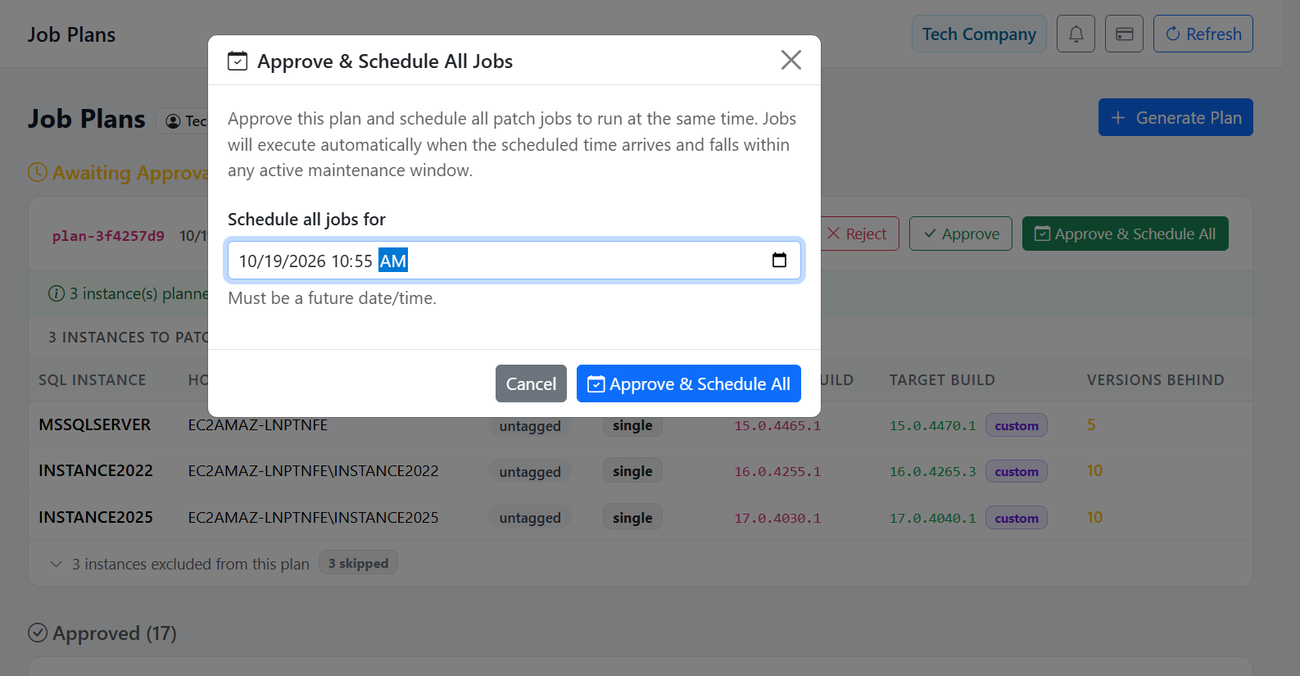
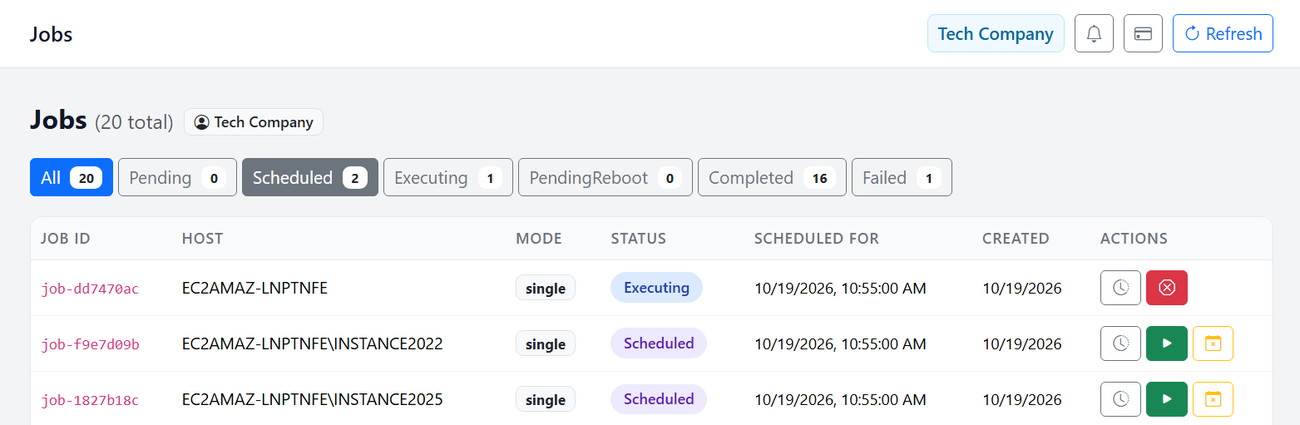
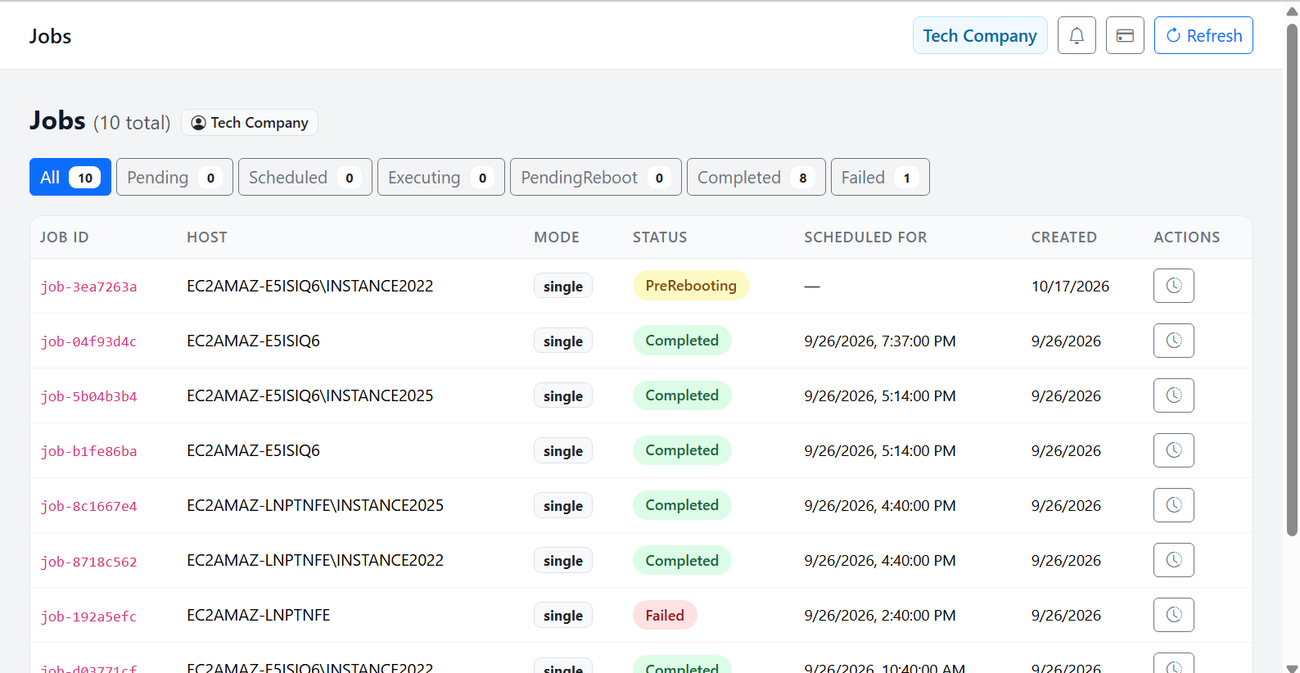
Screenshots from the sandbox deployment, from generating a plan to a patch run in progress.
The test: sandbox deployment
The team deployed PatchPilot to a sandbox environment mirroring their production setup and ran three scenarios.
Test run 1: SQL Server 2019, with pre-patch reboot
- Started
- October 17, 2026, 3:36 PM
- Pre-patch reboot
- Detected; automatic reboot and wait for recovery
- Patch applied
- CU32+GDR (build 15.0.4445.1)
- Completed
- October 17, 2026, 4:24 PM
Test run 2: SQL Server 2025, no pre-reboot needed
- Started
- October 18, 2026, 3:27 PM
- Patch applied
- Build 17.0.4030.1
- Completed
- October 18, 2026, 3:50 PM
Test run 3: error handling (pending Windows Update reboot)
- Started
- September 26, 2026, 2:33 PM
- Issue detected
- Server had a pending reboot from Windows Update
- Action taken
- Job failed safely with a clear remediation message
- Guidance
- Reboot manually, or enable the “Allow pre-patch reboot” option
In the third run the system caught a blocking condition before it could cause a cascade of failed attempts, and told the operator exactly what to do next.
The results
Speed: 35 minutes on average, vs. 210 minutes by hand
Fastest 23 minutes (no pre-reboot), slowest 48 minutes (pre-reboot and recovery), average 35 minutes. That is 175 minutes saved per instance.
Safety: no manual intervention during execution
- Pre-patch reboot detection and automatic recovery
- Version-aware sequential patching when different SQL versions share a node
- Batching of same-version instances so one reboot covers them
- Post-patch validation of the actual build, not just the installer exit code
- Error detection with clear remediation steps
The math
| Fleet | 200 instances on 40 nodes |
| Patch cycles | 4 per year (quarterly CUs) |
| Manual effort | 3.5 hours per instance at $100/hour |
| Manual labor per year | 200 × 3.5 × 4 = 2,800 hours = $280,000 |
| PatchPilot | 40 nodes × $50/node/month = $2,000/month = $24,000/year |
| Net annual savings | $280,000 − $24,000 = $256,000 |
| Subscription vs. labor replaced | The $24,000 annual cost equals about one month of the manual labor it replaces |
Modeled estimate. Assumes DBA time during a PatchPilot cycle is limited to plan review and approval.
What changed
- Weeks of planning and coordination each quarter
- 2,800 hours of DBA time per year
- Manual reboots, restarts and validation
- No audit trail
- Human error in repetitive tasks
- One approval generates and runs the plan
- 23 to 48 minutes per instance, automated
- Pre-patch validation and post-patch verification
- Complete audit trail for every step
- DBAs free for strategic work
Key learnings
- Pre-patch reboot detection matters. Real servers often have pending reboots. Handling them automatically saves hours of troubleshooting.
- Version-aware execution prevents cascades. Patching SQL 2019, 2022 and 2025 on the same node needs careful sequencing, and PatchPilot does it for you.
- Error handling beats raw automation. When the system hit a blocking condition, it failed safely and gave clear next steps instead of wasting patch attempts.
- Time savings compound. 175 minutes saved × 200 instances × 4 cycles is about 2,300 hours a year, more than one full-time DBA of reclaimed capacity.